

Problems and Solutions of NC Straightener feeder
Share to : 


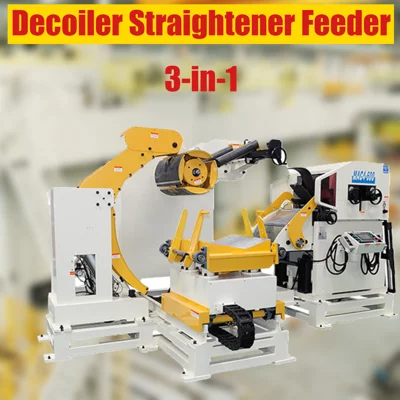
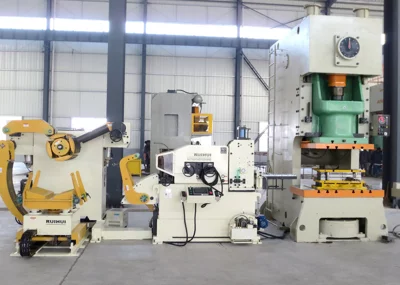
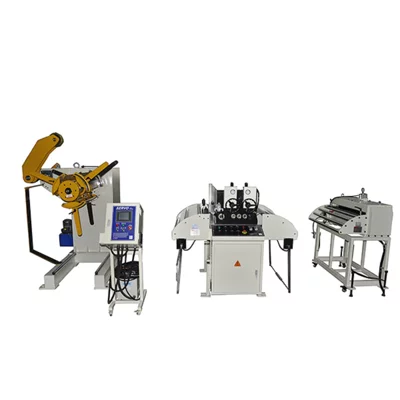
The NC straightener feeder integrates both straightening and feeding functions, responsible for leveling the surface of the material and feeding it according to a preset feeding pitch. If the NC straightener feeder malfunctions, it will affect the processing progress and quality. This article will help you understand common problems with the NC straightener feeder, their causes, and solutions.
Brief Introduction of Straightener Feeder Part
The main rollers of an NC straightener-feeder include: entry rollers, straightening rollers, and feeding rollers (exit rollers). Straightening adjustment can be divided into two types: manual handwheel adjustment and automatic adjustment via the control system, and the rollers use pneumatic release.
(Handwheel adjustment)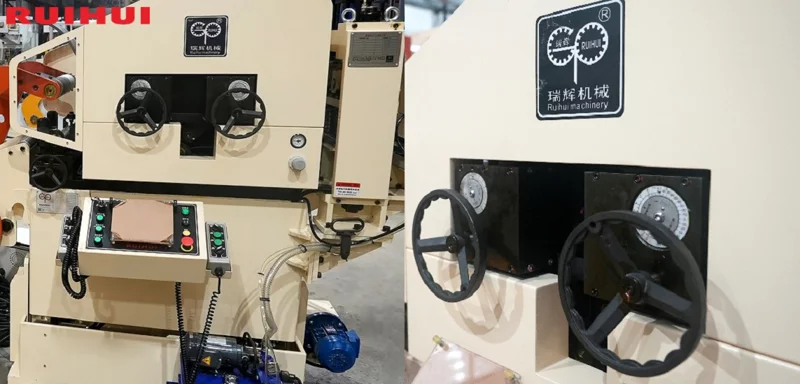
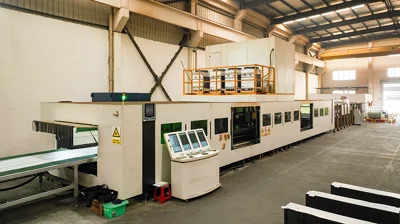
(Automatic adjustment)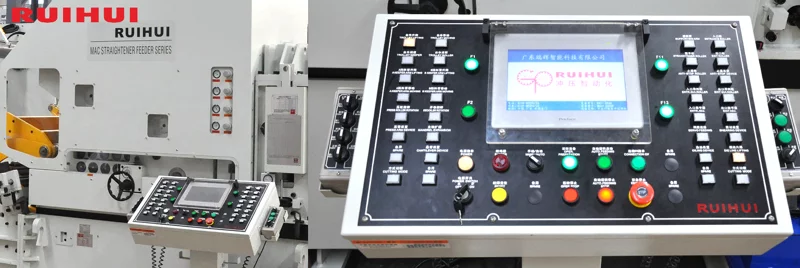
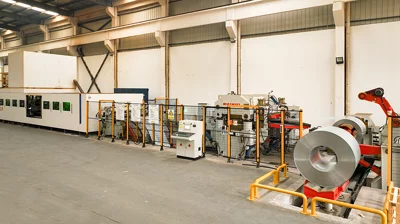
(Here is the feeding roller; the pneumatic device can be seen.)
Common Problems and Solutions
Problem 1: Inaccurate Feeding
Cause 1: The feeding timing conflicts with the roller-clamping timing, causing feeding to start before the rollers have fully clamped the material.
Solution: Increase the clamping duration of the rollers.
Cause 2: The air pressure of the feeding rollers is too low, resulting in insufficient clamping force.
Solution: Adjust the air pressure of the feeding rollers.
(The air pressure regulating device)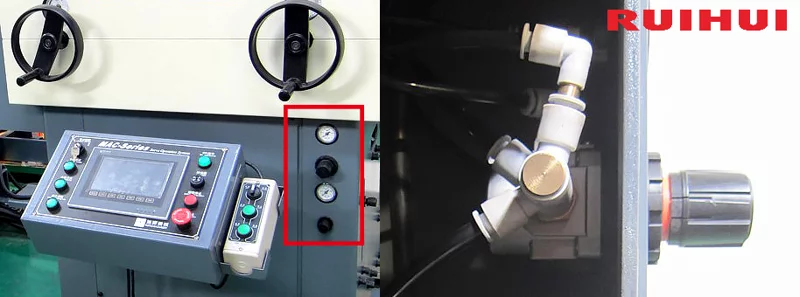
Cause 3: The feeding speed is too high. When the material surface is oily, the rollers may slip when feeding starts.
Solution: Reduce the roller speed (generally not lower than 15%).
Cause 4: Misalignment between the mold and the press table, or the NC straightener-feeder is not aligned with the press, causing the strip to rub against the mold.
Solution: Adjust the mold position and check whether the clamp unit is locked. Also check the alignment of the NC straightener-feeder.
Cause 5: There are obstacles inside the mold, preventing the strip from feeding to the correct position.
Solution: Inspect the mold and remove any debris.
Problem 2: Bent Material Head
Cause 1: Material head bends upward due to insufficient straightening pressure, failing to eliminate internal stress.
Solution: Increase the roller penetration of both the entry and exit straightening rollers.
Cause 2: Material head bends downward because the straightening pressure is too high, causing over-deformation.
Solution: Reduce the roller penetration of the exit straightening rollers.
Problem 3: Wavy Material Strip
Cause 1: Feeding roller pressure is too high.
Solution: Reduce the air pressure of the entry rollers.
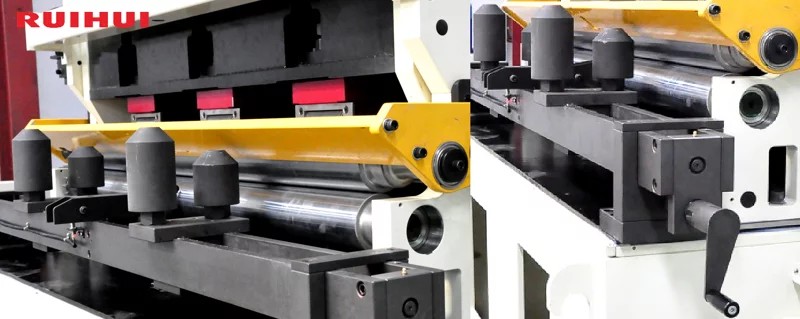
Cause 2: Guide rollers are clamping the strip too tightly.
Solution: Adjust the width of the entry guide rollers.
(The guide roller and its adjustment)
Problem 4: Material Deviation
Cause: The guide rollers at the entry are clamped too tightly, squeezing the material strip during conveying and causing deviation.
Solution: Adjust the width of entry guide rollers.
This is a summary table. If you want to learn more about the NC straightener feeder or have any questions, you can contact us. Thank you for reading.
| Problem | Cause | Solution | |
| Inaccurate Feeding | Feed Rollers Not Clamping Tightly | Timing conflict between feeding and clamping. | Increase the roller clamping time, ensuring sufficient time for clamping to complete before feeding begins. |
| Insufficient air pressure on feed rollers. | Increase the air pressure to the feed rollers. | ||
| Feeding Slippage | Feed speed too high, and material surface is oily. | Reduce the feed speed (generally by no less than 15%). Wipe the material clean if oily. | |
| Feeding Obstruction | The machine or die is not aligned with the punch press. | Check and realign the die with the press bed. Or adjust the position of the NC straightener feeder. | |
| Obstruction inside the die. | Inspect the die and remove any obstructions. | ||
| Material Leading Edge Bending | Bending Upwards | Insufficient leveling pressure; material stress not eliminated. | Increase the roller penetration of both the entry and exit straightening rollers. |
| Bending Downwards | Excessive leveling pressure; material over-deformed. | Reduce the roller penetration of the exit straightening rollers. | |
| Material Shows Waviness | Excessive pressure from feed rollers. | Reduce the air pressure to the feed rollers. | |
| Guide rollers are too tight. | Adjust the width of guide rollers. | ||
| Material Tracking/Deviation | Guide rollers are too tight. | Adjust the width of guide rollers. | |
With years of hands-on experience, I have honed my skills in navigating the complexities of global commerce, offering invaluable insights and solutions to address customer needs. My commitment to excellence and dedication to customer satisfaction ensure that I deliver exceptional service, guiding clients through every step of the trading process with confidence and proficiency.